Your sales team is manually sending connection requests on LinkedIn. Crafting personalized messages. Following up. Tracking who responded. Managing conversations in spreadsheets.
It's exhausting. And slow. Really slow.
Meanwhile, your competitor is reaching 10x more prospects with LinkedIn DM automation. They're booking more meetings, closing more deals, and their sales team isn't burning out doing manual outreach.
If you're still doing LinkedIn prospecting the old way, you're fighting with one hand tied behind your back.
Let me show you exactly how LinkedIn DM automation transforms B2B lead generation and why this might be the missing piece in your sales strategy.
What Is LinkedIn DM Automation?
LinkedIn DM automation means using software to automatically send, manage, and follow up on LinkedIn direct messages at scale.
Instead of your sales team manually messaging 20 prospects per day, automation can reach 200+ while still keeping messages personalized and relevant.
Here's what gets automated:
- Connection requests with personalized notes
- First message after connection
- Follow-up sequences if they don't respond
- Responses to common questions
- Moving interested leads to your CRM
- Booking meetings directly through the conversation
It's not about spamming everyone on LinkedIn. It's about scaling personalized outreach without your team spending 8 hours a day on manual messaging.
Why LinkedIn DM Automation Works for B2B Lead Generation
LinkedIn isn't Instagram or Facebook. It's where business happens. Your B2B prospects are actually there, looking for solutions, making decisions.
Decision-Makers Are Active on LinkedIn
The CEO, CMO, or VP you're trying to reach? They're probably not scrolling Instagram. But they're on LinkedIn multiple times per week.
LinkedIn is where professionals go to network, learn, and yes, evaluate potential vendors and partners.
When you reach them there with a relevant message, you're meeting them in their professional mindset.
LinkedIn InMail Has High Open Rates
LinkedIn messages have roughly 50% open rates. Compare that to cold email at 20% on a good day.
People check their LinkedIn DMs more regularly than their email inbox. It feels less spammy and more professional.
You Can Target Very Specifically
LinkedIn lets you search for prospects by:
- Job title
- Company size
- Industry
- Location
- Seniority level
- Even specific companies
You're not cold messaging random people. You're reaching exactly the type of decision-maker who needs your solution.
Conversations Feel More Professional
Getting a DM on WhatsApp from a stranger feels weird. Getting an email feels like spam.
But getting a LinkedIn message from someone in your industry? That's normal. Expected even.
The platform gives you built-in credibility.
How LinkedIn DM Automation Actually Works
Let's break down the mechanics so you understand what's happening behind the scenes.
Step 1: Define Your Ideal Customer Profile
First, you need to know who you're targeting:
- What job titles make buying decisions?
- What industries do you serve best?
- What company size is your sweet spot?
- What location matters?
The more specific you are, the better your results will be.
Step 2: Build Your Prospect List
Use LinkedIn's search filters to find people matching your ideal customer profile. Advanced search lets you get very granular.
Or use tools that scrape LinkedIn based on your criteria and build lists automatically.
Step 3: Create Your Outreach Sequence
Write a series of messages:
Message 1: Connection request with short personalized note Message 2: Thank them for connecting, introduce your value proposition with a question Message 3: Follow up if no response, provide case study or social proof Message 4: Final touchpoint with clear call to action
Each message should be short, relevant, and provide value.
Step 4: Automation Sends Messages at Scale
Your automation tool sends connection requests and messages on your behalf. But it does it carefully:
- Sends at random intervals to look human
- Limits daily volume to stay within LinkedIn's limits
- Personalizes each message with their name, company, role
- Tracks who responded, who viewed your profile, who ignored
Step 5: Qualified Leads Get Routed to Your CRM
When someone responds positively, automation can:
- Tag them as interested
- Add them to your CRM automatically
- Notify your sales team
- Book a meeting directly through calendar integration
The hottest leads reach your sales team within minutes, not days.
Step 6: Nurture Sequences for Warm Leads
Not everyone will be ready to buy immediately. Those who engage but don't commit go into nurture sequences:
- Share helpful content
- Provide industry insights
- Check in periodically
- Invite to webinars or events
When they're ready, you're top of mind.
Real Example: How a SaaS Company Uses LinkedIn DM Automation
Let me show you a real case study.
CloudMetrics is a B2B SaaS company selling analytics software to marketing teams. Their sales process used to look like this:
Before LinkedIn DM automation:
- 3 sales reps manually prospecting
- Each rep sent 15-20 connection requests daily
- Manually followed up with spreadsheet tracking
- Booked 5-8 meetings per month total
- Closed 1-2 deals per month
After implementing LinkedIn DM automation:
- Same 3 sales reps
- Automation sends 100 personalized connection requests daily (per rep)
- Automatic follow-up sequences
- Automation books 40-50 qualified meetings per month
- Sales reps spend time on calls, not messaging
- Closed 8-10 deals per month
Same team. 5x results. The difference? Automation handled the repetitive outreach work while sales reps focused on actual selling.
Their message sequence looked like this:
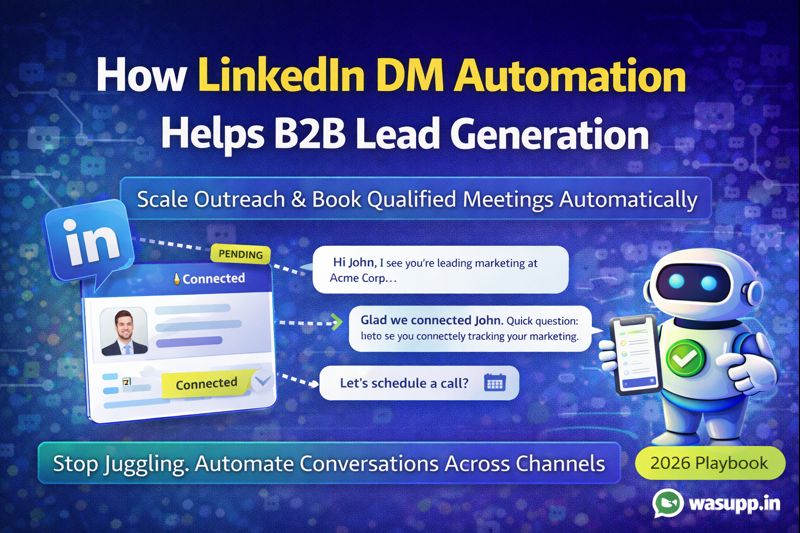
Connection request: "Hi [Name], noticed you're leading marketing at [Company]. Would love to connect and share some insights on how companies like yours are improving their analytics."
Message 1 (after connection): "Thanks for connecting, [Name]. Quick question: how are you currently tracking ROI across your marketing channels? We've helped [similar company] increase their tracking accuracy by 40%."
Message 2 (if no response after 4 days): "Hey [Name], not sure if you saw my last message. Here's a quick case study showing how [Company X] solved [specific problem]. Worth a 15-min chat?"
Message 3 (if no response after 7 more days): "Last one from me, [Name]. If you're not the right person for this conversation, would you mind pointing me to who handles [responsibility] at [Company]?"
Simple. Professional. Effective.
What You Can Automate on LinkedIn
Let's talk about what's actually worth automating:
Connection Requests
Automation sends personalized connection requests to your target prospects. It pulls their name, company, and role to customize the message.
Looks manual. Happens automatically.
Welcome Messages After Connection
As soon as someone accepts your request, automation sends a welcome message starting the conversation.
This happens immediately, while you're still fresh in their mind.
Multi-Touch Follow-Up Sequences
Most people don't respond to the first message. Automation follows up 2-4 times at strategic intervals.
You're persistent without being annoying.
Response Detection and Routing
When someone replies with interest, automation detects positive signals and routes them to your sales team.
Hot leads don't sit unattended.
Meeting Booking
Interested prospects can book time on your calendar directly through the LinkedIn conversation. No back-and-forth about availability.
Content Sharing
For prospects not ready to buy yet, automation periodically shares relevant content, case studies, or insights to stay top of mind.
Profile Viewing Tracking
Automation tracks who viewed your profile after your outreach and can trigger follow-up messages based on that engagement.
LinkedIn DM Automation Best Practices for B2B
This strategy works, but only if you do it right. Here's what separates good outreach from spam:
Always Personalize Your Messages
Don't send generic copy-paste messages. Use variables to include:
- Their first name
- Their company name
- Their role or department
- Their industry
- Recent company news or milestones
Even automated messages should feel personal.
Lead with Value, Not Sales Pitch
Your first message shouldn't be "Buy my product." It should be "Here's something useful" or "I noticed X about your company."
Build interest first. Sell later.
Keep Messages Short
LinkedIn DMs aren't the place for your company's entire origin story. Keep messages under 4-5 sentences.
Get to the point. Respect their time.
Follow LinkedIn's Daily Limits
LinkedIn limits connection requests and messages to prevent spam. Good automation tools respect these limits:
- 100-200 connection requests per week
- Stay within messaging limits
- Random intervals between actions
Push too hard and your account gets restricted.
A/B Test Your Messages
Different messages work for different audiences. Test:
- Different subject lines
- Different value propositions
- Different call-to-actions
- Different follow-up timing
Double down on what converts best.
Combine Automation with Human Touch
Automation gets the conversation started. But when someone shows real interest, a human should take over.
Use automation for scale. Use humans for relationship building.
Don't Buy Sketchy Tools
Some LinkedIn automation tools violate LinkedIn's terms of service. Using them can get your account permanently banned.
Stick with reputable tools that use official APIs or browser-based automation that mimics human behavior.
Common Mistakes That Kill LinkedIn DM Automation Results
Being Too Salesy Too Fast
Your first message is essentially a sales pitch. Nobody wants that.
Start with a question, a compliment about their work, or a piece of relevant insight. Build rapport before pitching.
Using Generic Templates
"Hi, I help companies like yours..." is the most overused opening on LinkedIn.
Research your prospects. Reference something specific about their company, recent post, or role.
Not Following Up
One message and done. That's leaving 80% of potential deals on the table.
Most B2B deals require 5-7 touchpoints. Set up proper follow-up sequences.
Messaging the Wrong People
You're targeting everyone with a pulse instead of your actual ideal customer.
Be ruthlessly specific about who you target. Quality over quantity always wins.
Ignoring Responses
Automation gets someone interested. They reply. Then nobody from your team responds for 24 hours.
Set up notifications and have someone monitoring for responses. Speed matters.
Not Tracking Metrics
You have no idea what messages work, what timing works, or what conversion rates you're getting.
Track everything. Optimize based on data.
Tools and Budget for LinkedIn DM Automation
Let's talk practical costs because you're running a business.
What It Costs
LinkedIn automation tools typically range from $50 to $300 per month per user depending on features:
- Basic automation: $50-100/month
- Advanced features with CRM integration: $150-300/month
- Enterprise solutions: Custom pricing
Compared to hiring an extra BDR (business development rep) at 40,000-60,000 rupees per month, automation is significantly cheaper.
What to Look For
Choose tools that offer:
- Safe automation that won't get you banned
- Personalization capabilities
- Multi-step sequences
- CRM integration
- Analytics and reporting
- Team collaboration features
Popular options include LinkedIn Sales Navigator (with automation plugins), Dux-Soup, Expandi, or platforms like Wasupp that are expanding to include LinkedIn along with WhatsApp and Instagram automation.
The ROI Calculation
If automation helps you book even 5 extra qualified meetings per month, and your close rate is 20%, that's one extra deal.
If your average deal size is 5 lakhs, that's 60 lakhs in additional annual revenue. For a 50,000 rupee annual investment in automation.
The math makes sense.
Combining LinkedIn with Other Channels
LinkedIn DM automation works even better when combined with other conversation automation channels.
Here's a multi-channel B2B strategy:
LinkedIn: Initial outreach and credibility building Email: Detailed proposals and resources WhatsApp: Quick questions and informal check-ins Phone/Video: Final negotiations and deal closing
Start conversations on LinkedIn where prospects are comfortable. Move hot leads to other channels for deeper engagement.
The businesses winning at B2B sales in 2026 aren't picking one channel. They're using the right channel for each stage of the buyer journey.
The Bottom Line
Manual LinkedIn prospecting doesn't scale. You're limited by how many hours your team can work.
LinkedIn DM automation removes that constraint. Your team can reach hundreds of ideal prospects while maintaining personalization and relevance.
It's not about replacing your sales team. It's about giving them a force multiplier so they spend time on conversations that matter, not manual data entry and message sending.
If you're serious about B2B lead generation, LinkedIn DM automation isn't optional anymore. It's how modern sales teams operate.