Your customers are messaging you on WhatsApp. Commenting on your Instagram posts. Emailing your support team. DMing you on LinkedIn. Filling out forms on your website.
And you're going absolutely crazy trying to keep track of it all.
You miss messages. You duplicate responses. You have no idea if the person messaging you on Instagram is the same one who emailed yesterday. It's chaos.
That's the problem omnichannel automation solves. And no, you don't need to be a tech genius to understand it or use it.
Let me break it down in plain English and show you exactly how this can save your sanity and grow your business.
What Is Omnichannel Automation (In Simple Terms)?
Forget the buzzwords for a second. Here's what omnichannel automation actually means:
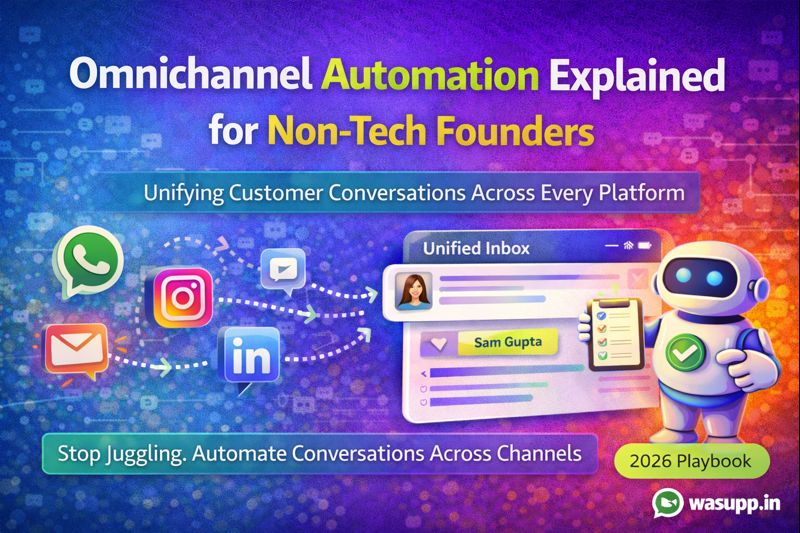
All your customer conversations from different platforms (WhatsApp, Instagram, Facebook, email, website chat) flow into one place. And smart automation handles the repetitive stuff automatically.
That's it.
Instead of jumping between 5 different apps to see who's messaging you where, you see everything in one dashboard. And instead of manually typing the same responses over and over, automation handles common questions while you focus on the conversations that actually need a human.
Why "Omnichannel" Matters
"Omni" just means "all." So omnichannel means "all channels."
Your customers don't think in channels. They don't care that they first messaged you on Instagram, then switched to WhatsApp, then emailed you a question.
But if you're not tracking conversations across all these platforms, you treat them like three different people. They have to repeat themselves. They get frustrated. You look disorganized.
Omnichannel automation connects the dots. It knows that's all the same person, regardless of which app they're using.
Why "Automation" Is the Game Changer
You can't reply to every message instantly. You're running a business.
But automation can. It can:
- Send instant acknowledgments
- Answer common questions
- Collect information
- Route urgent issues to the right person
- Follow up at the perfect time
All without you lifting a finger.
The combination of omnichannel (seeing everything in one place) and automation (handling repetitive tasks) is what makes this so powerful.
Why Non-Tech Founders Need Omnichannel Automation
You started a business because you're good at something. Maybe it's making products, providing services, solving problems.
You didn't start a business to become a professional message-answerer. But that's what's happening.
You're Losing Leads Because You're Too Slow
Someone messages you on Instagram at 11 PM asking about your product. You see it at 9 AM the next day. By then, they've already bought from your competitor who has automation set up to respond instantly.
You didn't lose because your product is worse. You lost because you were asleep.
Omnichannel automation never sleeps. It responds in seconds, every time, on every platform.
Your Team Is Wasting Hours Switching Between Apps
Your support person checks WhatsApp. Then Instagram. Then Facebook. Then email. Then back to WhatsApp because new messages came in.
They're spending more time switching between apps than actually helping customers.
With omnichannel automation, all those conversations are in one inbox. Your team is instantly more productive.
You Have No Idea What's Working
Are Instagram leads better than WhatsApp leads? Which platform converts best? What questions do people ask most often?
You have no clue because your data is scattered across multiple platforms.
Omnichannel automation gives you unified analytics. You can actually see patterns and make smart decisions based on data instead of guesses.
You're Treating the Same Customer Like Multiple Strangers
Here's a real scenario: Someone discovers you on Instagram and asks about pricing. You answer. Two days later, they message you on WhatsApp asking the same thing. Different team member sees it and answers again. Three days later, they email with more questions.
You have no idea this is all the same person. They're getting inconsistent answers from different team members. It's unprofessional.
Omnichannel automation shows you the complete customer journey across all platforms. Your team always has full context.
How Omnichannel Automation Actually Works
Let's get practical. Here's what happens behind the scenes:
Step 1: Platforms Get Connected
You connect all your communication channels to one automation platform:
- WhatsApp Business API
- Instagram Business account
- Facebook Page
- Website chat widget
- LinkedIn (if relevant)
This usually takes a few hours, not weeks. Most modern platforms have simple integrations.
Step 2: Everything Flows Into One Inbox
When someone messages you on any platform, it appears in your unified inbox. Looks like one messaging app, but it's actually pulling from all your platforms.
Your team sees:
- The message
- Which platform it came from
- Previous conversation history (even from other platforms)
- Customer details and tags
Complete context, one screen.
Step 3: Automation Kicks In Based on Rules You Set
You create simple rules:
- If someone sends their first message, send welcome message
- If someone asks about "pricing," send price list
- If message contains "urgent" or "problem," notify team immediately
- If someone messages on Instagram and mentions WhatsApp, send WhatsApp link
These rules work across all platforms. You set them up once, they work everywhere.
Step 4: Humans Take Over When Needed
Automation handles the routine stuff. But when a conversation needs a human touch (complex question, upset customer, sales negotiation), it gets routed to the right team member.
That person can jump in seamlessly because they see the full conversation history.
Step 5: Everything Gets Tracked and Analyzed
Every conversation is logged. You can see:
- Response times per platform
- Conversion rates per channel
- Most common questions
- Team performance
- Customer satisfaction
You're making decisions based on real data, not gut feeling.
Real Example: How a Skincare Brand Uses Omnichannel Automation
Let me show you this in action.
Radiance Skincare is a small brand selling handmade products. Here's what their customer journey looks like:
Without omnichannel automation (before):
- Customer discovers them on Instagram, comments asking about ingredient
- Founder manually replies in Instagram comments
- Customer DMs on Instagram with more questions
- Founder responds, but misses some DMs during busy periods
- Customer later messages on WhatsApp (different number)
- Team member doesn't know they already talked on Instagram
- Customer repeats all their questions
- Gets slightly different answers
- Confused customer doesn't buy
With omnichannel automation (after):
- Customer discovers them on Instagram, comments asking about ingredients
- Automation instantly DMs them: "Hey! Just saw your comment. Which product are you curious about? Moisturizer, serum, or cleanser?"
- Customer replies in DM
- Automation provides ingredient list and asks about skin type
- Customer says "Can I message on WhatsApp instead?"
- Automation sends WhatsApp link
- Customer switches to WhatsApp
- Team member sees full Instagram conversation history in WhatsApp thread
- Can continue conversation with complete context
- Customer feels heard and understood
- Makes purchase
Same customer journey. Completely different outcome.
The brand now handles 3x more inquiries with the same team size and converts 40% more leads into customers.
What You Can Automate Across All Channels
Let's talk about what's actually worth automating:
Initial Responses
Someone messages you for the first time on any platform. Automation instantly acknowledges them:
"Hey! Thanks for reaching out. I'm here to help. What can I do for you today?"
Simple, but it makes a huge difference. People know you're responsive.
Frequently Asked Questions
Questions like:
- "What are your prices?"
- "Do you deliver to [city]?"
- "What are your business hours?"
- "How long does shipping take?"
These get asked constantly across all platforms. Automation answers them instantly, consistently, every time.
Lead Qualification
When someone expresses interest, automation asks qualifying questions:
- "What's your budget range?"
- "When do you need this by?"
- "Is this for personal or business use?"
Based on their answers, hot leads get routed to sales immediately. Others go into nurture sequences.
Appointment Booking
"Want to schedule a consultation?" becomes automated:
- Shows available slots
- Lets customer pick their preferred time
- Sends confirmation
- Sends reminder day before
Works the same whether they're booking via WhatsApp, Instagram, or your website.
Order Updates
Automation sends:
- Payment confirmations
- Order processing updates
- Shipping notifications
- Delivery confirmations
Customers stay informed. You don't have to manually update everyone.
Follow-Ups
Someone showed interest but didn't buy. Automation follows up:
- Day 3: "Still thinking about [product]? Any questions?"
- Day 7: "Here's what other customers love about it"
- Day 14: "Last chance: special offer ending soon"
Works across all platforms based on where they originally contacted you.
How to Set Up Omnichannel Automation (Even If You're Not Technical)
You don't need to code. Here's the actual process:
Step 1: Choose an Omnichannel Platform
Look for platforms that offer:
- Multi-channel support (WhatsApp, Instagram, Facebook, email minimum)
- Visual workflow builders (drag and drop, no coding)
- Unified inbox
- Team collaboration features
- CRM integration
- Good support (because you'll have questions)
At Wasupp, we built our platform specifically for non-technical founders who want powerful automation without the complexity.
Step 2: Connect Your Channels
Start with your most important channels. For most Indian businesses, that's:
- WhatsApp (highest priority)
Add others later. Don't overwhelm yourself trying to connect everything day one.
Step 3: Set Up Basic Auto-Replies
Create simple automated responses for:
- Welcome messages
- Business hours
- Top 3-5 FAQs
Keep it simple initially. You can add complexity later.
Step 4: Build Your First Workflow
Pick one common customer journey and automate it:
- Lead inquiry to qualification to sales
- Support request to resolution
- Appointment booking
Map it out on paper first. Then build it in your automation platform using their visual builder.
Step 5: Train Your Team
Show your team how to:
- Access the unified inbox
- See conversation history
- Jump into conversations when needed
- Use quick reply templates
- Assign conversations to each other
Good platforms are intuitive. Your team should get comfortable within a week.
Step 6: Monitor and Improve
Check weekly:
- What's working well?
- Where are people dropping off?
- What questions aren't being answered?
- What's your team's feedback?
Continuously improve your automation based on real usage.
Common Mistakes Non-Tech Founders Make
Trying to Automate Everything Immediately
You get excited and try to build complex workflows for every possible scenario. You get overwhelmed and give up.
Start small. Automate one thing really well. Then add more.
Making Automation Sound Robotic
Your automated messages sound like they were written by a lawyer. Customers can tell they're talking to a bot and hate it.
Write like you actually talk. If you wouldn't say it to a friend, don't put it in automation.
Setting It and Forgetting It
You set up automation and never look at it again. Meanwhile, things break, messages fail, and customers get frustrated.
Review your automation regularly. Keep improving it.
Not Having Human Backup
Automation handles everything and there's no clear way for complex issues to reach a human.
Always have escalation paths. Some conversations need real people.
Connecting Too Many Channels Too Fast
You try to connect 10 different platforms in week one. It's overwhelming and you lose track of what's happening where.
Start with 2-3 most important channels. Add more as you get comfortable.
Is Omnichannel Automation Worth the Investment?
Let's talk money because you're running a business, not a charity.
What It Costs
Most omnichannel automation platforms charge between 5,000 to 20,000 rupees per month depending on:
- Number of channels connected
- Message volume
- Team size
- Features needed
Seems like a lot? Let's do the math:
If automation saves your team 15 hours per week answering repetitive questions, that's 60 hours per month. If you value that time at even 500 rupees per hour, that's 30,000 rupees saved.
The platform pays for itself and then some.